Login

all posts tagged “gadgetry”

Un-Boxing and Getting Started with Amazon's Kindle

Posted by: leelefever on June 18, 2008- 5:00pm

Categories: gadgetry, kindle, publishing

About a month ago, I got a Kindle as an early birthday present (Thanks Sachi's Mom!)  Since that time, I've become consumed by not only the device, but the potential for it to become a foundation for Amazon to disrupt the publishing industry. 

Indeed, there are two parts to any discussion about Kindle (1) the device and how it works (2) how Amazon will use it and it's Digital Text Platform to create a micro-payment economy for authors.

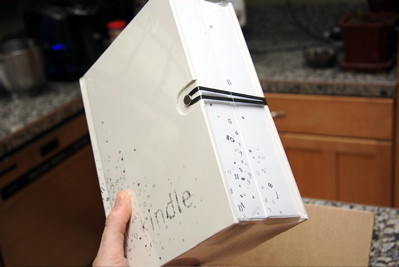
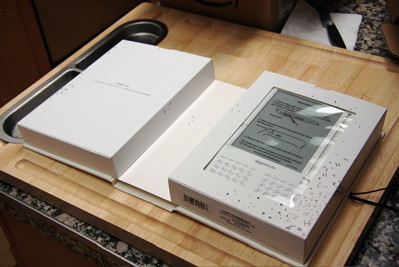
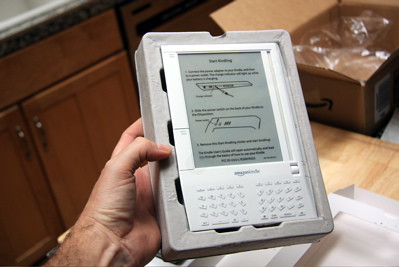
For now, I want to introduce a few aspects of the device, starting from taking out of the box.   
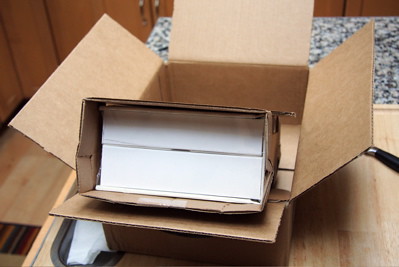


The strangest, most unsettling thing from the un-boxing?  Amazon included a coupon for a free McDonalds chicken biscuit in the box. Amazon, please don't cheapen the experience for future Kindle buyers.

One of the awesome aspects of getting started is that the Kindle already knows who you are.  Since you purchase it from Amazon.com, it arrives connected to your Amazon account and immediately connects to (Sprint's EVDO) cell-phone network called Whispernet, which quickly delivers books to the Kindle after purchase. This connection is free - paid-for by Amazon.

I don't think people understand that this cell phone connection means the Kindle is a 100% stand alone device - no computer needed. I dread connecting new devices to computers and it's so delightfully lightweight to skip that whole process and use a device that connects to a cell phone network instead.  
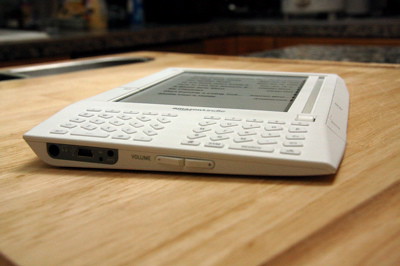
I'm not a huge fan of the physical design, though after using it regularly, I have become very comfortable with how it fits into the hand.  I love reading before bed and always hated having to hold a book open. The Kindle makes reading easy.

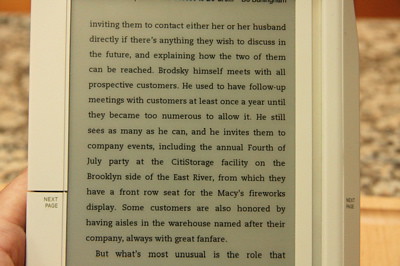
Speaking of reading - people often wonder why they would use a Kindle when the same info (newspapers, blogs, etc.) is available on the Web.  It's true - but for me, I want to get away from the computer and computer screen to read.  The Kindle's screen is "e-Ink" and appears like a printed page, in tones of gray. It's not lit like a computer screen - it's easy on the eyes and looks better in light. This also helps the battery last a very long time. 
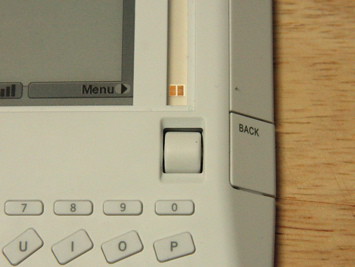
I have no idea how it works, but I'm fascinated by the glittery-gold cursor thing that allows you to make selections.  
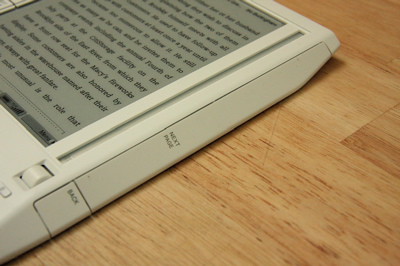
The "Next Page" and "Previous Page" buttons are huge and I often hit them accidentally.  I find it hard to believe that the design team actually thought this was the optimal size.  But, I'm used to it now and it does make paging very easy.  There is no scrolling on the Kindle - only paging.
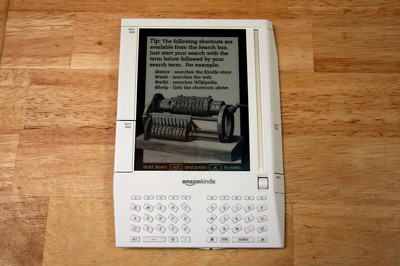
 When it's in Sleep mode, it displays random illustrations of famous authors and tips.   
Buying books, periodicals, newspaper susbscriptions, etc. from the Kindle Store (accessible from the device and Amazon.com) is as easy as you would expect from Amazon. We've been giving Amazon digital money for years, so it's a no-brainer to do it from the Kindle - especially when books are delivered in seconds instead of days. I've found the selection of books sufficient and growing. 

Overall I'm a big fan of the Kindle.  It has some design issues, but I truly believe that it has a very bright future. People are quick to criticize it sight-unseen, but once you sit down with it, buy a book and understand how easy, lighweight and fun it is, you'll want one. I believe it is the future of reading.

But like I said, the device is only one part of the equation.  What excites me most, and is least publicized, is Amazon's Digital Text Platform. More on that soon.  

More Info:

Kindle: Amazon's New Wireless Reading Device

(now $359 - recently reduced)

Jeff Bezos on Charlie Rose 

Walt Mossberg's Kindle Review

Good Experience: Customer Experience Review - Amazon Kindle

Gizmodo Kindle Review

The Button Every Keyboard Needs

Posted by: leelefever on March 20, 2008- 5:00pm

Categories: fun, gadgetry, humor, seattle

Found at Garage Billiards and Bowl in Seattle. 

Mobile Blogging via Treo 650

Posted by: leelefever on November 16, 2005- 4:00pm

Categories: blogging, gadgetry, mobile, review, travel, twinf

I've been geeking out a lot on all the things we can do with gadgetry on the trip. You might remember that I first posted about a device (the i-Mate PDA2K) back in June that I thought would be good for mobile blogging.

I've been using a PalmOne Treo 650 for the last couple of months and I think it's going to be the close-to-perfect gadget for our needs on the trip.

treo-650.jpg

Over at TwinF I posted a bit about all the capabilties I've been testing.

Tags: twinf, gadgetry, geek, mobile, moblogging

Mobile Blogging Device: I-Mate PDA2K

Posted by: leelefever on June 12, 2005- 5:00pm

Categories: blogging, gadgetry, mobile, review

I’ve gotten the mobile blogging bug lately. As you’ll see soon, I have plans for a new site that will have a blog that will be updated predominately by a mobile device. As part of this, I’m trying to find the best device for the job. Some of the major features I see as being necessary/nice to have for mobile blogging:

  • Qwerty Keyboard
  • GSM: Global System for Mobile Communications (global standard cell phone signal)
  • GPRS: General Packet Radio Service (Internet using GSM)
  • Wi-Fi (wireless high speed Internet)
  • BlueTooth (Short range connections to other devices)
  • Camera (a thing with which you take pictures)

I started looking on Mobile Planet and started seeing a new company called I-Mate. I-Mate has a device called the PDA2K that is the most converged piece of technology I’ve ever seen. It comes with a $800 price tag, but fits the bill for mobile blogging like nothing I’ve seen.

Imate.gif

You can read a very thorough review of the PDA2K here (which I found via PubSub).

I think this may be the device that I eventually use. One point that really made me feel good about the I-Mate and the people behind I-Mate – The PDA2K comes with Skype built-in. I'm still in awe about that little nugget.

Pentax Optio WP

Posted by: leelefever on April 19, 2005- 5:00pm

Categories: camera, gadgetry, review

Updated: So I meant to post this on leelefever.com, but it ended up here by mistake. I think I am going to post it there too...

I've been waiting for this day for, like weeks, ever since my last digital camera broke. I shopped around and decided to wait for a camera that I really wanted to come out. Amazon said it wasn't coming out until the 30th, but I called around today and found one.

PentaxOptioWP.jpg

I was looking for a tiny camera that would be good for traveling and looked at a bunch, but the clincher about the one I got is that it's waterproof. That, and it's only .9 inches wide, with 5 megapixels and a 3X zoom.

I've only had it for about 2 hours, but I'm pretty geeked out about the whole thing. It's about the size of a cell phone, maybe a little smaller. Keep an eye on the little picks on the left there will likely be a lot more soon...

Here's more info on the camera if you're interested.

Instand

Posted by: leelefever on February 18, 2005- 4:00pm

Categories: gadgetry, review

Instand

Originally uploaded by Lee LeFever.

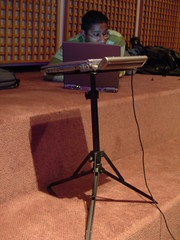
People seem to be interested in my laptop stand, so I'm providing some info.
It's made by InsTand and it rocks in my opinion. I use it at home all the time and and it disassembles into a very compact form.
I do indeed recommend it.


The Problem with Tabs in Firefox...

Posted by: leelefever on January 28, 2005- 4:00pm

Categories: dailylife, gadgetry, humor

...Is that my brain hasn't quite caught up. The transition from IE was effortless in some ways, but I seem to be "challenged" by the tabbed interface. I exhibit great skill creating new tabs (ctrl + t), but when my intention is to go to another browser window, I still waste time looking at the bottom of the screen, like I would with IE.

I'm dedicated to changing this behavior because tabs are better and faster (like so many things with Firefox). I have been trained for years that new browser windows are located in the task bar and anything else simply goes against the natural order of things (or so my brain thinks). I'm thinking this is just a phase.

Oh, and let me say that my favorite extension is Spellbound. It's a spell checker for any web based form (like blog posts, online discussions)... like ieSpell. Second would be ForecastFox.

Recent Post Topics

Subscribe with RSS