By leelefever on April 18, 2008 - 9:03am.
I switched. It happened about 2 weeks ago, I made a Macbook my primary computer for the first time. We've had a Mac around the house for a while, but I've been loyal to my little Sony Vaio, which has been mostly flawless for about 2.5 years. It was a good one.
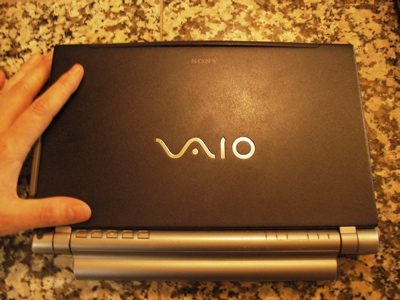
But alas, I wanted a Mac, and it has come to pass.
Along the way, I've been taking some stream-of-consciousness notes on my perceptions before doing any research. I'm using Leopard, btw. Here goes:
I'm still learning, but today was probably the first that I didn't reach for the crtl button to copy/paste something.
The Dock is cool - I didn't realize how easy it was to manage. I was looking for menu to add and remove icons - then found out that you can just drag them to the trash or onto the Dock.
I want to use the desktop as a default place to drop random files, like I would on the PC - I wonder if it's a good place?
Why are there no Fav icons in the bookmark toolbar in Firefox?
I love the photos that come on the Mac desktops. Must keep updated.
I was lost for a while, not understanding the product menu at the top. I was looking for "preferences" in other menus - not Product Name, like iPhoto".
How can I close all the windows and have the application open at the same time? I know - it's a mac thing.
We've decided to get an Airport Extreme during this process. We needed a new router and wanted to print wirelessly. In the end, it took many hours of experimentation, but we got both PCs and Macs on a secure network and printing wirelessly. My lesson was to get each computer printing with a wire first, then go wireless.
I can open the Mac and it just starts. No waiting around. My PC would take forever.
Is Text Edit the same as Notepad - good for text files? I assume so.
Ahh, two-finger scrolling works quite well. I'm used to scrolling on the right side of the touchpad, but this is an easy transition.
I dig the magnetic power plug, but I don't like it's placement on the side. I have the computer in my lap a lot, and it constantly comes unplugged when hitting my leg. I guess it may do the same from the back.
It's always bugged me that the "M" and "W" are the same key, turned upside down. It looks that way anyway - not sure why that catches my eye.
If I hit Capslock one more time I'm going to remove it.
I'm getting used to the Command (apple) button, but man why not just use ctrl? I think the ctrl button is much better placed for one handed copy/paste/undo, etc. On my keyboard, the "x" is directly above the Apple key. Hitting it makes me feel like I'm learning guitar.
The screen doesn't lean back as far as I'd like.
Why can't I apple + b to bold something in the browser?
How do I go up one folder? Solved - Jay taught me apple + up arrow.
What is this preview thing? I have Adobe Reader, why isn't it working? Oh, Preview was the default in Firefox.
Spaces seems cool. I'm using it to go between iTunes and FireFox.
We need to control the home stereo from our computers. Turns out that Airport Express does it really well. It was a pain to get started, but works like a champ. We now have all computers sharing a single library that exists on an exrternal drive.
When I have two things open (like 2 browsers) I don't see an easy way to switch between then - they get lost behind each other (on the PC they are at the bottom of the screen). What am I missing?
Do I really have to eject usb devices? It sounds like a problem that technology should solve for me.
Searching the computer works really really well.
I've kept the old computer on the network during the transition. Since they're set up on the same network, it is easy to grab files. Just today, I put away the old computer.
Much of our world happens in Google's cloud. Docs, Calendar, Email, didn't have to move from one computer to another. That was so nice.
I know there are a lot of cool and useful mac tools out there, I wonder which I should get?
Oh, Skitch is such an amazing cool screen capture tool. Wow.
I've been tapping touchpads for years - and I've even enabled tapping on the Mac - but never use it. It's funny how quickly I've transitioned to the big thumb-button.
Overall, it's been less painful than I imagined - and I do love the Mac, honestly. It just works. I'm sure I have a long way to go in terms of learning key combinations and shortcuts, but I'll get there in due time.
You might also see:
Life Hacker's Guide to Switching
Please, do share what you have learned...
Have a suggestion? Tell us about it, please.
Me too!
Hey Lee,
I switched over a Mac a few weeks back, too. My post is here http://macabre0.livejournal.com/2008/03/30/ if you're interested.
I've had some troubles switching to a few of the uses of the Mac, but in answer to your question about switching screens within the same program when they overlap, I use the F3 button, which shows all the windows open on the desktop and select the one I want. It's not as convenient as tabbing between them in Windows, but it works pretty well. If you find a better way, feel free to let me know. :)
It was nice to see the notes you've taken as a new user. Many of those could apply to me too. Good reading!
Switching between apps
Hey.
Awesome to hear you've joined the family.
Switching between applications is pretty easy with this shortcut.
Hold down the command key (with the Apple logo) and then tap the tab key (keep the command key held down). You should see a gray bar in the middle of your screen with the icons of all the applications you have open. Use the tab key to select the application you want to bring to the front and let the command key go.
Hope this helps.
Congrats
Welcome to my world! :) Let's see if I can help a bit:
Apple + E will eject any drive or disk you have selected. At least a shorter way to eject a usb device. It's not as risky to pull out as it is on a PC, but I have found it corrupted a camera disk and a hard drive. But that's two out of very very many I've had over the years. I figure I can do Apple +E.
The two browsers thing is a pain. I agree. If you use Dashboard (I'm only on 10.4 so not what you're using) you can set a corner to show all windows. I use that - top corner zooms out and shows me all open windows, I can quickly shift to another browser window.
Applications don't close when you close windows because the windows just show you files. The file is not the application. :) Personally I'd hate if this were the case - I often close the files I'm working on but return to the application later and it would have to relaunch. In the case of some, like Adobe stuff, that's time consuming.
I've always wondered why PCs don't use the Alt key for shortcuts. ;) So it's just what our monkey-minds have been trained to use.
One tool I'd recommend is a .Mac account. I use my iDisk to transfer files to and from computers, to clients (via my Public folder) and stuff a lot. A virtual USB drive if you will. But there are other services that do the same of course.
Another shortcut you may have overlooked: the fn key gives you all those symbols on the bottom right of keys. Like the numberpad.
Have fun!
a few answers to good questions
congratulations on the switch.
when i switched 4 or 5 years ago, i HATED it for about 6 weeks, then one day something switched and i HATE having to use PCs! it's amazing.
- for switching between applications use APPLE - TAB, for switching between windows within an application use APPLE - ~ [TILDE]
- set up Hot Corners for Expose:
show all application windows
show desktop.
i use this ALL DAY LONG!
for screen shots, OS X has a beautiful built in tool:
APPLE - SHIFT - 3 [takes the whole screen]
APPLE - SHIFT - 4 [takes a selected area]
both are *.png files
osx.iusethis.com has many great little utilities.
i use:
twitteriffic - twitter manager
handbrake - DVD ripping
gmail notifier - duh.
quicksilver - BRILLIANT application launcher
adium - IM for all clients
azureus - torrents
Flip4Mac - WMV player/codec
VLC player - alt. video player
text wrangler - a text edit alternative
CORD - remote desktop
congratulations on the switch.
switching between app/windows
You might like Witch (http://www.manytricks.com/witch/), a control panel that vastly improves the Apple-Tab/Apple-~ switching feature.
Cut, Copy and Paste with your thumb and index finger
Your copy/paste with the command key caught my eye. It sounds like you might be trying to use your pinky on the command key to copy/paste, since that's what you'd use to hit CTRL on Windows? If so, try to get used to using your thumb instead. Once it's ingrained, you might just find it to be a bit easier than pinky-on-ctrl was. Feels better to me anyway.
Patrick
Why are there no Fav icons
Why are there no Fav icons in the bookmark toolbar in Firefox?
I am not sure there should be, wouldn't it just clutter the toolbar at that point? I have a hard enough time trying to get all my regular use links into the bookmark toolbar without having the extended menu.
- How can I close all the windows and have the application open at the same time? I know - it's a mac thing.
You mean like hitting F11 to get to your desktop?
- Is Text Edit the same as Notepad - good for text files? I assume so.
Yep, textedit works great but I am a stickler for ASCII text only, so I set my textedit preferences to make the default format plain text instead of rich text.
- I dig the magnetic power plug, but I don't like it's placement on the side. I have the computer in my lap a lot, and it constantly comes unplugged when hitting my leg. I guess it may do the same from the back.
I wouldn't be putting the laptop directly on my lap, I have a Powerbook, the thing gets so hot you could fry eggs on it. I use one of those Ikea laptop trays with the pillow on the bottom side of it.
- The screen doesn't lean back as far as I'd like.
Really? My guess is that you are positioned too far above your laptop rather than in front of it. You shouldn't be able look directly down and see your keyboard, you should be looking forward :) I had to take an entire ergonomics class when I worked at Intel for this sort of thing :P
- Why can't I apple + b to bold something in the browser?
Like on a web page? I donno, I often wonder why I can't redesign a website thru my web browser.. you know, to get ride of the annoying layout, poor labels, and fix forms that don't work :P
- When I have two things open (like 2 browsers) I don't see an easy way to switch between then - they get lost behind each other (on the PC they are at the bottom of the screen). What am I missing?
Apple + ~ and Apple + TAB
- Do I really have to eject usb devices? It sounds like a problem that technology should solve for me.
You don't HAVE to.. but you should.. otherwise risk corrupting the data on your USB device. Side Note: always format your memory card for your digital SLR, don't just delete the photos when you are done importing them... format using the dSLR menu option.
- I know there are a lot of cool and useful mac tools out there, I wonder which I should get?
I use:
* Things (Mac based GTD app)
* OmniGraffle (like Visio but better)
* TextMate (killer for markup)
* Numbers (like Excel but better)
* Pages (like Word but better)
* Keynote (like Powerpoint but better)
* Transmit (Mac based FTP app)
* Aperture (sorta like iPhoto but with more advanced features and better RAW handling)
* Flickr Uploader for the Mac
Piano, not Guitar
Lee,
I cut/copy/paste with thumb (apple) and the crossover forefinger for x/c/v. It's a piano player move.
I do use pinky (apple) to reach y, u, etc. rather than two hands. Right hand on mouse, left on keyboard.
Welcome to the world of loving your computer!
Figures...
First, thanks so much for these comments - it's HUGE help - please do keep sharing.
Of course, in talking to Sachi about shortcuts - she told me about using F9 to show all open windows. NEWS TO ME. Sometimes the answer is right here in the same room.
Q&A
Q: I want to use the desktop as a default place to drop random files, like I would on the PC - I wonder if it's a good place?
A: Yes, it's perfectly fine.
Q: Is Text Edit the same as Notepad - good for text files? I assume so.
A: Yes. In fact if you experiment long enough, you'll find it can do everything Word did, with the simplicity of Notepad.
Q: When I have two things open (like 2 browsers) I don't see an easy way to switch between then - they get lost behind each other (on the PC they are at the bottom of the screen). What am I missing?
A: What (most) everybody else has mentioned is called Expose (it's in System Preferences).
These may have already been
These may have already been covered but...
The best way to manage files that you want immediately is to create a stack.
To do this just create a folder on your desktop (right click on the desktop and click on "New Folder" from the contextual menu or go to File > New Folder or hold shift + command + N) and drag some things you want to the folder.
Drag this folder to the right side of your dock (to the right of the dotted line) and let go just like you would to add an application icon.
Now just click on the folder and it will "fan" out to reveal the files. From now on you can drag things directly to this stack and use it to access files. You can even drag files from the fan directly to the trash.
Since you have this amazing thing called your dashboard you can add this widget for free.
OS X Tips, Tricks and Tutorials
Also, this may help.
Note: If you are opening lots of browser windows (like on a PC) you can use tabbed browsing by hitting command + T to open a new tab or holding command when you click on a link. This keeps all the browser windows inside one.
If you happen to have more than one browser window open you can combine them by navigating to Window > Merge all Windows (this only works in Safari but Firefox may have a similar function).
Pathfinder
Pathfinder was the single most useful application I've ever downloaded for my Mac, you might want to give it a try.
http://www.cocoatech.com/pf4/
switching between apps
look on the dock and notice that any open applicaton has a little black arrow under it. Simply click on the app you want to switch to and viola!
welcome to the dark side
heres a couple tips
-customizing the finder:
right click on the finder somewhere near the forward and back button. from there you can add things like the delete / get info buttons or whatever.
-quick copy/duplicate a files in the finder:
hold down option key and drag then let go of a finder item to make a duplicate of it. handy if you don't want to work on the master file.
-select fast in the finder:
in list view in the finder you can just click->hold->move mouse up and down in the space beside the name of the file to select a bunch of files quickly. combine this with holding the apple key to pick and choose bunches of files
-apple+w:
to close a window (or tab) but leave the app running.
-change finder icons:
copy a graphic/icon->right click on finder item->get info->select the icon->paste a graphic. or use an app like candybar
-automator + finder plugins:
i'm constantly scaling images for blogging etc. i've created an automator action and saved it as a plugin for the finder. then i can just right click (in the finder) and run the action. this is a godsend for tasks that you perform often such as scaling a bunch of images or uploading files to a server etc. you can do this for any automator action i think.
-web clips for weather:
find your fav weather site and maybe a couple of local webcams and use safari to create a web clip for the dashboard. (beside the stop button in safari) i don't really use the dashboard for anything other than this.
-activity monitor: in apps->utilities:
useful for checking whats going on in yur machine. ie network activity/memory usage etc
hope this helps!
Get The Missing Manual
I highly recommend "Mac OS X Leopard: The Missing Manual" as an excellent resource for switchers. Enjoy!
Eject USB
"Do I really have to eject usb devices? It sounds like a problem that technology should solve for me."
But isn't that the same as "Safely Removing Hardware" on the PC?
My favorite apps and tips
Hey Lee,
I mentioned that I'd send my top tips and apps so here they are:
Finally, to answer one of your questions, if you trying to make something bold in Firefox (I assume in Google Docs or Gmail) try Control-B (windows style). I hope that this helps.
I switched too
I switched too, last fall. You covered a lot and so did people who already commented (wow, so many comments in one day), so this is just new stuff.
I find it REALLY annoying that I have to press [fn]+[delete] to "forward delete" -- THAT is my single most HATED thing about switching -- anyone know another way? I find myself doing a lot on the computer while lying on my side in bed and only having one hand handy (perfect for browsing/click, etc., but then if I want to type something, which I can also do with one hand in that position, if I have to forward delete -- UGHHH). I'd rather change the delete key to work as a forward delete and use the [fn] key to do it the way it is by default.
I set up a hotspot in the top right corner to spread out all the windows so I can see the different windows that are open. I have come to prefer it over windows because i can also SEE an image of the window, not just the title (often truncated title because I always have a million windows open at once).
I also love the dashboard. I use the calculator a ton (when I don't use google as a calculator or unti conversion tool). I love the stickies, but think too many of them slows the system -- i tend to use textedit now for every little note, and I save in the right place -- i never used textedit/notepad so much in my life -- so awesome.
There is a dashboard app call "App Update" which is an updater tool, like the one i used on cnet a million years ago to check all my software for updates. It works amazing, though I tend not to download beta updates. It works amazing.
One of the commenters here must be a REAL MACaphile if he thinks iwork is better than office. It is quick and pretty for basic functions, but I am so used to office that I get frustrated with advanced formatting in pages or keynote that inevitably go to ppt and word to work. Numbers is really cool because of the slider function, which i find is great for spreadsheets where you want to model scenarios for budgeting, roi analysis for products, services or advertising, etc., but when it comes to real statistical analysis, I can't live without my pivot tables, macros, and other hard core features of excel, that iwork doesn't even come close to having.
Anther annoying thing is that I put the dock on the bottom (it hides away when not active and only comes up when i drop the cursor below the screen) This maximizes screen height which I like. I like the bottom location so I can have more things in the dock and see them all at the same time so I need the width. What I find annoying is that when i mouse toward the bottom of the screen to widen the width of a window, for example, or type into the find box in firefox, etc., I often go too far and pull up the dock. Not so bad, but still annoying, lol.
I love Mindjet MindManager for mindmapping. OmniOutliner is another similar tool, but I tried a few trials and ended up liking this one the best, because it was the most practical and easiest to use, even though others' final outputs may have been prettier. I know I would spend most of my time with the app doing input, and needed it to be easy, with lots of keyboard shortcuts. MindManager is awesome for to do list, planning your day, your life, projects, outlining projects, writing tasks, presentations, product development, and so much more. I love it.
What I miss MOST from PC is Google's Picasa. I haven't found iphoto to be nearly as rich, and after trying some demos of paid software, didn't like em either. I want picasa! It was so easy to make basic edits to photos, and i liked the organization system. Since switching, i went from avid digital photography hobbyist to almost nothing because I don't have a system for photos I like. Ironic since most professional photographers use macs, but again, i am not pro, and want my picasa! Any tips from anyone on what comes close, let me know. I miss my digital photography and photosharing, etc., but i don't want just upload to the web -- i want to remove red eyes, and crop, adjust white balance, etc., but not get into heavy professional tools.
I'm trying out Merlin for project management -- looks awesome, and I might end up liking it better than MS project.
Oh, I should say, I am using parallels. I love it. there are lots of little pieces of software and apps I need to use for work that only work in pc environment.
I also hate the mac mail app. Yuck! i started using it and it would send email if i canceled the spell check, and all kinds of other unexpected behaviors. If you grow up on it, ok, but if you are a switcher and used any of the full-featured PC-based email clients, you will hate MAIL. I used Entourage. It is the best compromise for me because I don't want to have parallels always running just for email. It is a drain on resources.
There is no real ctrl+alt+delete in MAC, I think -- I haven't found it yet. So when a program is frozen/not responding (happens to me a lot with firefox when I have a ton of tabs open and I hit a funky site). So, I open Activity Monitor (it is in the utilities folder) and you can see all the apps running like on the pc when you hit control alt delete, and you can "Quit Applications" -- works great.
When you switch, you realize you went from being an expert in one system to being in kindergarten sort of in a new one, but at least the learning curve is fast and there is a ton of info on the web and in books.
One great resource I found is http://www.takecontrolbooks.com/ I CANNOT tell you how much time I saved by consulting these little ebooks on mac topics, like little manuals. And the confidence to know I was doing it right. I researched all the topics extensively free online prior to buying the manuals I needed. There was so much fragmentation in the advice, and everyone has a different opinion. These manuals are thorough, balanced, explanatory, step-by-step, and reliable. I cannot recommend them enough. it is a website with small ebooks for mac users.
like someone else said, Preview is faster, and I like it MOST of the time, but I like many of the features of acrobat, so when I need them (5% of the time) I open the pdf with acrobat.
Lastly, I love your videos. Thanks so much for making them. My posting here is really a big thank you for your videos which I enjoyed very much. Otherwise, I am rarely a poster because it would take much too much time out of my life all day long to write posts like these on every site that I think to make a post, lol!
Cheers!
ctrl-alt-delete
There's no exact alternative to ctrl-alt-delete, no. But generally you don't need to go into Activity Monitor - you can just option-click on the application icon in the Dock and select "Force quit".
ctrl-alt-delete
Try option-apple and escape.
apple option esc = ctrl alt
apple option esc = ctrl alt delete
for all intents and purposes.
Firefox
Why can't I apple + b to bold something in the browser?
I think it is more of a website preference than a Firefox setting. Google Notebook—among other Google services—uses Control + B. This makes sense because Google preferred not to use Command + B as I might have assigned it somewhere else.
It was very interesting,
It was very interesting, especially about Mindjet MindManager for mindmapping
Easy switch between 2 (or more) windows
I switched about 1 year ago and I think I will never get back :-)
Mac OS has a great way to switch between windows apps. You can easily:
1) switch between windows of the same app
2) switch between windows of all apps
Alla you need is to set up Exposé.
Go to settings and choose "Dashboard and Exposé" (I still use Tiger, but Leopard should be the same).
Exposé options are "All windows" and "Application windows".
When you activate Exposé it shows you exactly each window's content.
You can both associate these commands to function keys (F9, F10, ecc.), mouse buttons, display corners.
Very easy, very smart.
Screencasts Online
Hey Lee
Check out Don McAllisters' excellent Screencasts Online at http://screencastsonline.com/sco/
When I first got my iMac about a year ago I started watching Don's weekly screencasts and quickly got up to speed.
For feeds Feeder is cool and for converting video formats VlsualHub rocks my world. Scrivener is a great app for any writing project (I also use it when I'm doing translations). Audio Hijack Pro for grabbing any audio, Ecto for blog posting and Graphic Converter does what it says on the box. Mail works great with Gmail and I almost forgot Toast Titanium for burning CD/DVD and much more...
Disable your Capslock key ...
Lee ...
You can actually disable your Caps Lock key ...
Go to your System Preferences, click on Keyboard & Mouse, select the Keyboard tab, then click on the Modifier Keys button (hopefully this is the same in Leopard).
The first one should be Caps Lock. In the pull down menu select No Action.
Also as far as TextEdit goes ... I still haven't gotten used to it. I use Bean for my text editing -- see:
www.bean-osx.com.
I've also found some great apps at:
opensourcemac.org
Congratulations on the switch.
Scott
Good Job!
Great Blog, wonderful decision! I myself made the switch about a year ago, but still have to work around ALOT of windows stuff. However, on every occasion someone has asked my preference--i've been proud to say the MAC!!! I've noticed a few things were different--so here goes:
the interface- WOW! clean, trendy and very user friendly!
cd-roms and "mounting"- I had never been introduced to this terminology, being a lifetime windows user. It makes sense now, and this term carries over the multitude of OS not just mac.
don't run too many widgets or keep stuff on your desktop--this will slow down your startup and also make your apps open slower :(
more ways to speed up your macbook
http://www.imafish.co.uk/articles/post/articles/130/52-ways-to-speed-up-...
Great article Lee! keep it up!
John
I'm a month in
Hey Lee- I just switched over about a month ago myself. I never realized all of the strange ways I was trained to get around the stupidity of the pc environment. I feel like i'm unlearning using my mac. I know someone else mentioned parallels as well- it's really seamless going between the two. And the best thing is you get access to all programs out there and you don't need to have a pc anymore. YAY!
even a Mac vet learns something...
Apple tilde! OMG! thanks SO much for sharing that! I've used mac since I started on computers and have never known that shortcut.
And as for Apple Alt Esc - that's the way to go. And of course on a Mac the Finder can be relaunched too. :)
imovies
i need help with an issue i keep having. my husband is in brazil right now and i like to send him little vids of our family to keep him in touch. the problem is, he cant seem to view the imovies on the pc he has there. i downloaded "flip4mac" to view .wmv files as they come into my computer but i need something to convert the imovies to .wmv before they leave my computer. and this something needs to be free and easy. any suggestions?
Q & A + tips
[pre]Why are there no Fav icons in the bookmark toolbar in Firefox?
-move your mouse over the icon in the ulr box. click and drag it to the grey area just above your tabs. later you can edit this bookmarks information by ctrl clicking on it.
How can I close all the windows and have the application open at the same time?
-You may mean the hide commands (apple + H) and (shift +apple+H)
otherwise you mean mean (apple + f9 or f10)
I'm getting used to the Command (apple) button, but man why not just use ctrl?
-if you can't get use to it. Simply swap the button assignments in preferences. its very easy.
What is this preview thing?
-Its only one of the best programs ever made. that lil guys opens almost any static visual file. jpeg pdf photos text files and more. then from there there are plenty of ways to adjust and edit the files. one of which is reformatting the file and preview does all that quicker then any program ive ever scene.
Next best program they give you? "stickies" try it out and keep it in the dock.
When I have two things open (like 2 browsers) I don't see an easy way to switch between then - they get lost behind each other (on the PC they are at the bottom of the screen). What am I missing?
-hold shift and press f9. you can also asign this to a mouse button or a corner of your screen. shift and f9 thru f11 all do useful things try them out.
Do I really have to eject usb devices? It sounds like a problem that technology should solve for me.
-Highlight the usb's icon on your computer. Press the CD eject button above delete. remove usb. thats pretty simple if you ask me.
I know there are a lot of cool and useful mac tools out there, I wonder which I should get?
-cocktail - if you can find it this little program adds a great deal of customization to your mac.
-flip4mac - to watch PC format movies
-VLC- movies same as above works better but you have to start manually.
-Transmission - torrents
Other tips
-apple + shift + 3 or 4: = screen shot. the one with the cross hair is a screenshot drag select. this tool is infinitely useful. by default, images go to your desktop.
-Apple button + tab works like alt tab on pcs only its better. use the button above tab to scroll the other way. you can also quit programs by doing this and tapping the Q button while its selected. this is very useful because it quits programs alot faster then quitting from the programs menu. not sure why. also, you can tap "H" to hide programs.
-zoom in at any time by holding down ctrl and using the 2 finger scroll.
-Now you only have one mouse button. holding down ctrl make it for work like a PCs second mouse button.
Hope I helped some of you guys out. there is more stuff to. hard to explain but easy to execute. mostly things are simpler then you could imagine. it just takes time getting use to.
Thanks so much for your plain english videos. they really have enlightened me.[/pre]
Keyboard Junkies - Mac or PC
This is a great post. I am primarily a PC user and occasionally need to get on my son's Mac and do find myself a bit tripped up as I am a confessed "keyboard junkie".
Having started off on PCs (early to mid 80s) and at one point switched exclusively to MAC ('89-91) and having been on PCs since, I can appreciate the pain (and the shortcuts).
Back in my Mac days, I needed the mouse to start an application. After than (mostly MS apps), I got to the point that I never used the mouse.
I'll reference this post next time I want to move a bit faster on my son's Mac.
Thanks!
This Page is Now Crucial
I'm bookmarking this for all the tips and tricks. My first Mac experience: Apple 2SE circa 1983.
Post new comment